
Our Latest Articles
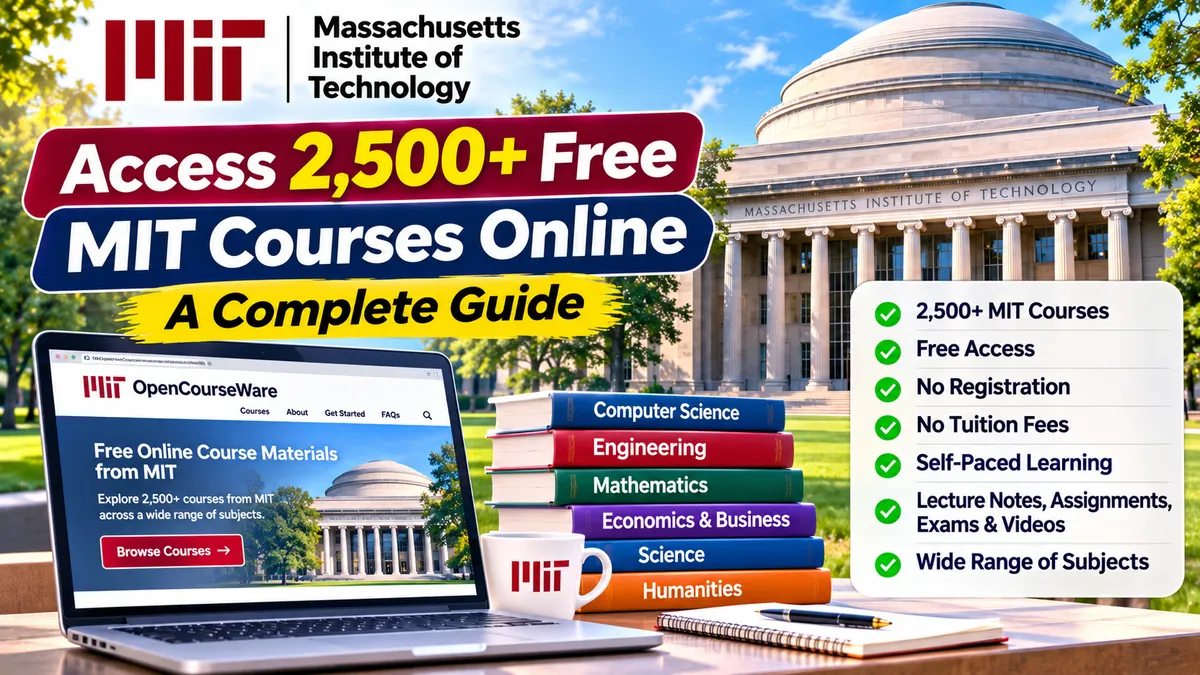
How to Access 2,500+ Free MIT Courses Online: A Complete Guide for Students and Professionals
What if you could learn from one of the world's leading technology universities without paying tuition fees or travelling abroad?
The Massachusetts Institute of Technology (MIT) makes thousands of educational resources available online through its MIT OpenCourseWare (MIT OCW) platform. Learners from anywhere in the world can explore university-level subjects, access lecture notes, watch available video lectures, download assignments, and study at their own pace.
Whether you are a college student, working professional, software developer, engineering graduate, researcher, or lifelong learner, MIT OpenCourseWare offers an opportunity to access high-quality educational resources for free.
The best part? You do not need to be admitted to MIT, pay tuition fees, or register for an account to access its OpenCourseWare materials.
In this guide, we will explain what MIT OpenCourseWare is, how to access courses through the official website, how to download learning materials, and how to create your own self-learning plan.
1. What Is MIT OpenCourseWare?
MIT OpenCourseWare (OCW) is a free online educational initiative from the Massachusetts Institute of Technology.
It publishes educational materials from MIT courses so that learners around the world can study independently.
Depending on the course, you may find:
Lecture notes and presentations.
Video lectures.
Course syllabi.
Reading lists and textbooks.
Assignments and problem sets.
Examination papers.
Laboratory activities.
Programming exercises.
Project descriptions.
Reference materials.
These resources cover a wide range of academic disciplines, including engineering, computer science, mathematics, physics, economics, business, biology, chemistry, architecture, and humanities.
MIT OCW aims to make educational resources accessible to everyone, regardless of their location or financial background.
Important: MIT OpenCourseWare is not an MIT degree programme. It does not award MIT degrees, academic credits, or course-completion certificates.
Official website: https://ocw.mit.edu/
2. How Many Free Courses Are Available?
MIT OpenCourseWare provides access to materials from more than 2,500 MIT courses across undergraduate and graduate-level subjects.
The platform offers:
Free access to educational resources.
Courses across multiple academic disciplines.
Self-paced learning.
Lecture notes and assignments.
Video lectures for selected courses.
Downloadable study materials where available.
Resources for beginners and advanced learners.
Not every course contains the same resources. Some provide lecture notes and assignments, while others also include complete video lectures, exams, and additional learning materials.
3. Which Subjects Can You Learn for Free?
MIT OpenCourseWare covers a wide range of academic and professional subjects.
A. Computer Science and Information Technology
If you are interested in software development, programming, or emerging technologies, explore subjects such as:
Introduction to Computer Science.
Programming and software development.
Algorithms and data structures.
Artificial intelligence.
Machine learning.
Computer systems.
Database systems.
Computer networks.
Cybersecurity-related subjects.
These materials can help students strengthen their theoretical foundations and explore technical concepts beyond their regular college curriculum.
B. Artificial Intelligence and Machine Learning
AI and machine learning are important areas for students and technology professionals.
Explore topics such as:
Artificial intelligence.
Machine learning.
Deep learning foundations.
Neural networks.
Natural language processing.
Computer vision.
Data-driven decision-making.
Robotics and intelligent systems.
Some advanced courses require mathematics, probability, statistics, and programming knowledge. Beginners should start with introductory material before moving to advanced topics.
C. Engineering and Robotics
Engineering students can explore:
Electrical engineering.
Mechanical engineering.
Aerospace engineering.
Chemical engineering.
Civil engineering.
Robotics.
Control systems.
Electronics.
Manufacturing and automation.
D. Mathematics and Statistics
Mathematics is an important foundation for many technology fields.
Explore:
Calculus.
Linear algebra.
Probability.
Statistics.
Differential equations.
Discrete mathematics.
Mathematical modelling.
E. Business, Economics and Management
MIT also provides educational materials in areas such as:
Economics.
Entrepreneurship.
Management.
Finance.
Operations research.
Business strategy.
Supply chain management.
F. Science and Humanities
Other areas include:
Physics.
Chemistry.
Biology.
Environmental studies.
Architecture and urban planning.
History.
Literature.
Political science.
Philosophy.
Explore the complete course collection through the official website:
4. How to Access MIT Courses for Free: Step-by-Step Guide
You do not need an agent, paid membership, or university admission to access MIT OpenCourseWare.
Follow these steps.
Step 1: Visit the Official MIT OpenCourseWare Website
Open the official website:
This is the official MIT OpenCourseWare platform.
You can browse its courses directly without creating an account.
Step 2: Search for Your Favourite Subject
Use the search facility to look for a particular topic or course.
For example, enter:
Python programming.
Artificial intelligence.
Machine learning.
Data science.
Computer science.
Robotics.
Mathematics.
Economics.
You can also search using an MIT course number if you already know it.
Step 3: Browse Courses by Subject
If you are not sure which course to select, browse the subject categories.
Choose an area that matches your academic background or career interest.
For example:
Computer Science for software professionals.
Electrical Engineering for electronics students.
Mathematics for AI and data science learners.
Economics for business and management students.
Step 4: Open the Course Page
Click the course title to open its dedicated page.
Depending on the course, you may find:
Course overview.
Syllabus.
Instructor information.
Lecture notes.
Video lectures.
Reading materials.
Assignments.
Exams.
Project information.
Step 5: Read the Course Syllabus
Do not immediately start downloading every file.
First, review the syllabus.
It explains:
What the course teaches.
Topics covered.
Recommended background knowledge.
Course structure.
Weekly learning schedule.
Required reading and assignments.
This will help you understand whether the course is suitable for your current knowledge level.
Step 6: Watch Lectures and Study the Materials
If video lectures are available, watch them in sequence.
If the course provides lecture notes or presentations, use them alongside the videos.
Some courses do not have video lectures, so you may need to learn through reading materials and problem sets.
Step 7: Download the Learning Resources
Many course pages provide downloadable files.
Depending on availability, you may be able to download:
Lecture notes.
Assignments.
Examination papers.
Reading lists.
Course files.
Video materials.
Save them to your computer so you can continue studying offline where download options permit.
Step 8: Complete the Assignments
Reading the material alone is not enough.
Try solving the assignments and examination questions.
For programming courses, practise the concepts by writing your own code.
For mathematics and engineering courses, solve the problems independently before checking the available solutions, if provided.
Official MIT guide to getting started:
https://ocw.mit.edu/pages/get-started/
5. Does MIT OpenCourseWare Require Registration?
No.
One of the biggest advantages of MIT OpenCourseWare is that you can access its resources without creating an account.
Requirement | MIT OpenCourseWare |
|---|---|
Registration | Not required |
MIT admission | Not required |
Tuition fees | Free |
Account login | Not required for OCW access |
Fixed schedule | No |
Course deadlines | No |
Learning pace | Self-paced |
Degree | Not offered |
Academic credit | Not offered |
Certificate | Not offered |
You can begin learning immediately after opening the official website.
6. Can You Get an MIT Certificate After Completing a Course?
This is an important point to understand.
MIT OpenCourseWare does not provide certificates, academic credits, grades, or degrees.
You can study the course materials and complete the available assignments, but completing them does not make you an MIT graduate or an officially certified MIT student.
If you need a certificate or a more structured online learning experience, explore other MIT learning platforms.
MIT OCW vs MITx vs MIT Open Learning Library
Feature | MIT OpenCourseWare | MITx | MIT Open Learning Library |
|---|---|---|---|
Learning resources | Free | Course-dependent | Free |
Registration | Not required | Usually required | Depends on course |
Structured assessments | Varies by course | Available | Available in selected courses |
Instructor interaction | No | Depends on offering | No live support |
Progress tracking | Self-managed | Depends on course | Available in selected courses |
Certificate | No | Available for eligible paid offerings | No |
Main purpose | Independent learning | Structured online courses | Interactive self-paced learning |
MITx courses may offer certificates through their specific course offerings. Check the course page for fees, assessment requirements, and certificate options.
The MIT Open Learning Library provides selected interactive learning materials, including automatically graded exercises in some courses, but does not offer certificates.
Official websites:
MIT OpenCourseWare: https://ocw.mit.edu/
MIT Learn: https://learn.mit.edu/
MIT Open Learning Library: https://openlearninglibrary.mit.edu/
7. Recommended MIT Learning Areas for Technology Students
If you are a student or working professional interested in technology, here are some learning areas to prioritise.
1. Programming and Computer Science
Start with programming fundamentals, problem-solving, algorithms, and data structures.
Recommended for:
Computer Science students.
IT students.
Software developers.
Beginners interested in programming.
2. Artificial Intelligence
Explore AI fundamentals, intelligent systems, machine learning concepts, and applications.
Recommended for:
AI enthusiasts.
Engineering students.
Data science learners.
Software professionals exploring AI.
3. Mathematics for Technology
Build foundations in calculus, linear algebra, probability, and statistics.
Recommended for:
Machine learning learners.
Data science students.
Engineering students.
Researchers.
4. Electrical Engineering and Robotics
Explore electronics, circuits, control systems, robotics, and automation.
Recommended for:
Electronics and communication students.
Mechanical engineering students.
Robotics enthusiasts.
Automation professionals.
5. Economics and Entrepreneurship
Learn about economics, business models, innovation, and management.
Recommended for:
Business students.
Entrepreneurs.
Startup founders.
Technology professionals interested in business.
How to choose: Start with a subject that supports your current academic or career goal. Check the syllabus and prerequisites before selecting an advanced course.
8. How to Create Your Own MIT Self-Learning Plan
Accessing free courses is easy. Completing them requires consistency and a learning strategy.
Here is a practical approach.
Step 1: Set a Learning Goal
Decide what you want to achieve.
Examples:
Learn programming fundamentals.
Understand artificial intelligence.
Strengthen mathematics for machine learning.
Explore robotics and automation.
Improve your understanding of economics.
Avoid selecting too many unrelated courses at once.
Step 2: Choose One Course
Select a course that matches your current knowledge level.
Read the syllabus and identify the topics you need to cover.
Step 3: Create a Weekly Study Schedule
A simple schedule could look like this:
Day | Learning Activity |
|---|---|
Monday | Watch lectures or read course materials |
Tuesday | Review notes and examples |
Wednesday | Study the next topic |
Thursday | Practise exercises |
Friday | Complete assignments |
Saturday | Revise and work on a small project |
Sunday | Review progress and plan the next week |
Even 45–60 minutes of focused learning per day can help you make steady progress.
Step 4: Take Notes
Maintain a digital or physical notebook.
Record:
Important concepts.
Definitions.
Formulas.
Examples.
Questions.
Difficult topics.
Useful references.
Step 5: Complete Practical Exercises
Don't limit yourself to watching lectures.
Solve assignments, attempt examination questions, and practise programming problems wherever available.
Step 6: Build a Project
Apply what you learn to a practical project.
Learning Area | Possible Project |
|---|---|
Programming | Build a basic application |
Artificial Intelligence | Create a simple AI prototype |
Data Science | Analyse a public dataset |
Robotics | Simulate a robotic system |
Economics | Analyse a real-world economic trend |
Mathematics | Apply mathematical concepts to a practical problem |
Step 7: Document Your Learning
Maintain a record of your learning journey.
You can use:
GitHub for programming projects.
A personal portfolio for project demonstrations.
LinkedIn for sharing learning reflections.
A digital notebook for study notes.
A project report to explain your work.
Remember that studying MIT OCW materials does not make you an MIT-certified learner. Describe your experience accurately as independent study using MIT OpenCourseWare resources.
9. Can You Download MIT Course Materials?
Yes. MIT OpenCourseWare allows learners to download and save available course materials.
Depending on the individual course, you may find downloadable:
PDF lecture notes.
Presentation slides.
Assignments.
Exams.
Reading lists.
Supporting documents.
Video resources.
You can use these materials for independent learning and revisit them whenever required.
MIT also encourages sharing and reuse of OCW resources under its open licensing terms. However, check the licence and attribution requirements for the specific material before modifying, redistributing, or using it commercially. Some third-party materials included in a course may have separate copyright restrictions.
Official information:
10. How MIT OpenCourseWare Can Help Different Learners
College Students
Students can use MIT course materials to supplement their regular university curriculum.
For example, a computer science student can explore additional programming, algorithms, AI, and mathematics topics.
Working Professionals
Professionals can use OCW to strengthen theoretical knowledge or explore a new technology area.
For example, a software tester interested in AI can study relevant computer science and machine learning fundamentals.
Engineering Graduates
Engineering graduates can explore advanced subjects, strengthen their fundamentals, and identify areas for further study.
Researchers
Researchers can use lecture notes, reading lists, and other academic materials to explore concepts related to their research interests.
Teachers and Educators
Educators can explore MIT teaching materials and use appropriately licensed resources to support their own teaching activities.
11. MIT OpenCourseWare: Important Things to Know
Before starting, keep these points in mind:
MIT OCW is a learning resource, not a university admission programme.
You do not become an MIT student by accessing its courses.
There is no formal instructor support for OCW self-study.
Not every course includes video lectures.
Some advanced courses require strong mathematical or technical foundations.
Some assignments may not have solutions available.
OCW does not award certificates, grades, or academic credit.
A course may contain references to textbooks or other materials that are not freely available.
You should check the licence before reusing or sharing course content.
Completing an OCW course does not guarantee a job, internship, or university admission.
12. Frequently Asked Questions
Is MIT OpenCourseWare really free?
Yes. MIT OpenCourseWare provides free access to its published course materials. There is no tuition fee or registration requirement to browse and study the materials.
Can Indian students access MIT courses?
Yes. Students in India and other countries can access MIT OpenCourseWare through its official website. There is no nationality restriction for accessing the publicly available resources.
Do I need an MIT email ID?
No. You do not need an MIT email address or an MIT student account to access OCW materials.
Can I study MIT courses from home?
Yes. You can study online from home using a computer or compatible device with internet access. Some materials can also be downloaded for later study.
Are all MIT courses available with video lectures?
No. Video availability depends on the individual course. Some courses offer full video lectures, while others provide lecture notes, assignments, reading lists, and other materials.
Can I add MIT OpenCourseWare to my resume?
You can mention relevant independent study, but be transparent.
For example:
"Independent Study: Machine Learning — Studied selected course materials through MIT OpenCourseWare."
Do not write "MIT Certified" or imply that you received an MIT qualification.
If you completed a practical project based on your learning, include the project separately with its actual outcome.
Can I get an official MIT certificate for free through OCW?
No. MIT OpenCourseWare does not provide certificates or academic credit. If you want a certificate, explore eligible MITx or other MIT online course offerings and check their fees and requirements.
Can I access the courses after several months?
Yes. OCW materials are openly available without fixed start or end dates. You can return to the resources and continue studying at your own pace.
13. Start Learning Today: Your First Steps
If you are new to MIT OpenCourseWare, don't feel that you need to complete an entire degree curriculum.
Start small:
Visit https://ocw.mit.edu/
Select a subject you are interested in.
Choose an introductory course.
Read the syllabus.
Download the available materials.
Follow the lecture sequence.
Complete relevant assignments.
Build a small project based on what you learn.
Your first goal should be to complete one course or a meaningful selection of its learning materials, rather than collecting dozens of course links.
Conclusion
Quality education does not always require expensive tuition fees or international travel.
Through MIT OpenCourseWare, students, professionals, educators, and independent learners can access educational resources from more than 2,500 MIT courses.
You can explore computer science, engineering, artificial intelligence, mathematics, economics, science, and humanities subjects from anywhere in the world.
Although OCW does not provide certificates or academic credit, it offers an excellent opportunity to strengthen your knowledge, explore new subjects, and develop a habit of continuous learning.
Don't just collect free course links. Choose a subject, follow a learning plan, practise what you learn, and build something useful.
Explore More Learning Opportunities With FutureTech Simulation
At FutureTech Simulation, we encourage students and technology professionals to combine quality learning resources with practical projects and career preparation.
Explore learning opportunities in:
Python Programming
Software Testing and Automation
Artificial Intelligence and Machine Learning
Data Science and Analytics
Cloud Computing and DevOps
Generative AI
Emerging Technologies
Our approach:
Learn → Build → Apply → Explore
Explore our learning pathways:
https://futuretech-simulation.com/learning-pathways
Explore global technology career opportunities:
https://futuretech-simulation.com/global-tech-career
Official MIT Resources
Use these official links to access the resources discussed in this article:
MIT OpenCourseWare: https://ocw.mit.edu/
Getting Started with MIT OCW: https://ocw.mit.edu/pages/get-started/
MIT OpenCourseWare Course Catalogue: https://ocw.mit.edu/search/
Using MIT OCW Materials: https://ocw.mit.edu/pages/using-ocw-content/
MIT Learn: https://learn.mit.edu/
MIT Open Learning Library: https://openlearninglibrary.mit.edu/
Important: Always access courses through official MIT websites. Be cautious of third-party websites claiming to provide guaranteed MIT certificates or qualifications for free.


Facebook
Instagram
X
LinkedIn
Youtube
WhatsApp