
Our Latest Articles
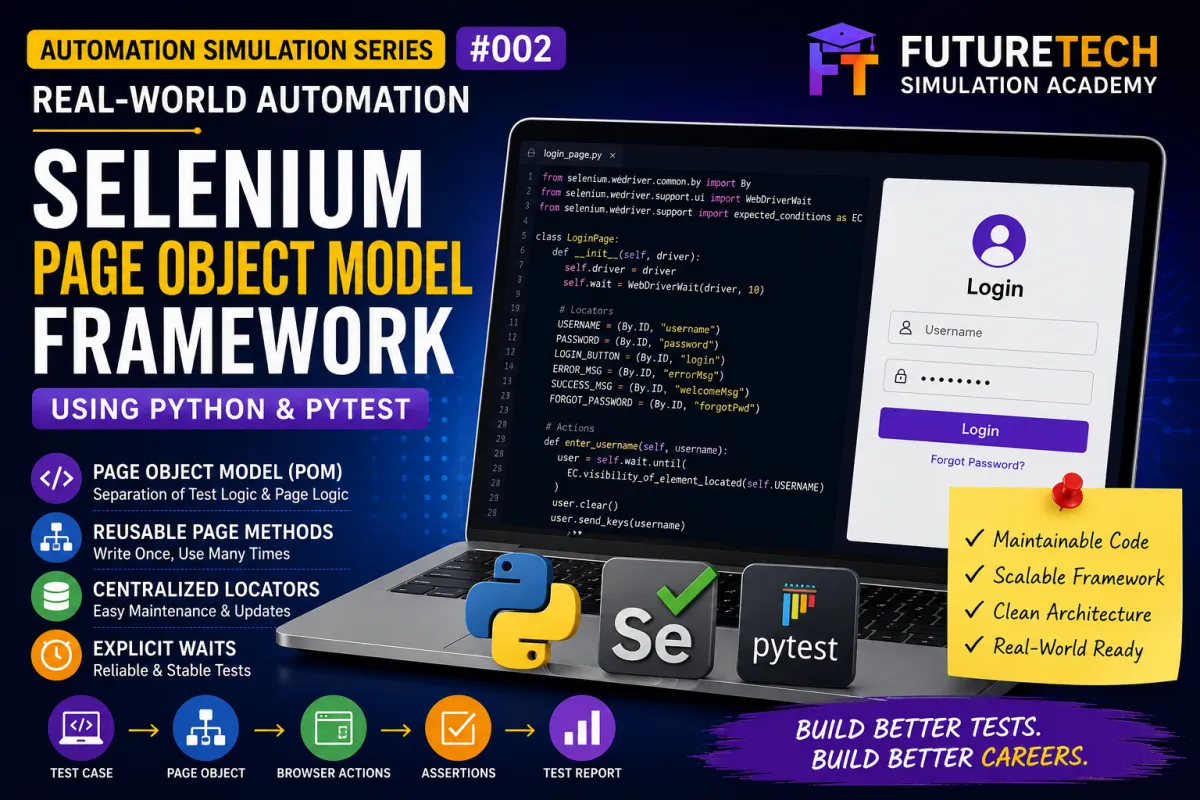
Selenium Page Object Model Framework Using Python | Real-World Automation Simulation #002
Real-World Software Automation Simulation #002
Don’t Just Learn Automation. Simulate the Job.
Introduction
In Day 1 of the FutureTech Real-World Software Automation Simulation Series, we automated a Login page using Selenium WebDriver, Python, and pytest.
We created automated tests for:
Valid Login
Invalid Username
Invalid Password
Empty Username
Empty Password
Both Fields Empty
Password Masking
Forgot Password
The Day 1 project introduced the basic Selenium automation workflow.
However, as an automation project grows, simply writing Selenium commands inside every test case becomes difficult to maintain.
Imagine a project with 100 automated test cases.
If every test contains its own locators, browser actions, element interactions, waits, and page-specific logic, even a small UI change can require modifications across multiple test files.
This is where the Page Object Model becomes useful.
What Is Page Object Model?
Page Object Model, commonly called POM, is a design pattern used in test automation to separate test logic from page interaction logic.
The basic idea is:
Test Case
↓
Page Object
↓
Selenium WebDriver
↓
Web Application
The test describes what needs to be tested.
The Page Object describes how to interact with the page.
For example, instead of writing Selenium commands directly inside a test, we can create reusable methods such as:
enter_username()
enter_password()
click_login()
login()
The test then becomes easier to understand and maintain.
Why Do We Need Page Object Model?
Consider a Login page.
Suppose we have 20 tests that need to interact with the Login button.
Without POM, the Login button locator could be repeated across many tests.
Now suppose the development team changes the Login button locator.
You may have to update multiple test files.
With Page Object Model, the locator is centralized inside the LoginPage class.
The tests simply call:
click_login()
This reduces duplication and makes maintenance easier.
Real-World QA Scenario
Imagine you are working as a QA Automation Engineer for an e-commerce application.
The application contains:
Login
Registration
Home
Product Search
Product Details
Shopping Cart
Checkout
Orders
Profile
Each page can have its own Page Object.
For example:
LoginPage
HomePage
ProductPage
CartPage
CheckoutPage
OrderPage
ProfilePage
This allows the automation framework to represent the application's user interface in a structured way.
Day 1 vs Day 2
In Day 1, we focused on creating basic Selenium automation.
The basic flow was:
Open Browser
↓
Open Login Page
↓
Locate Element
↓
Enter Data
↓
Click Button
↓
Verify Result
In Day 2, we improve the architecture.
The new flow becomes:
Test Case
↓
LoginPage
↓
Reusable Page Method
↓
Locator
↓
Selenium WebDriver
↓
Browser
This separation is the foundation of a maintainable automation framework.
Project Objective
In this simulation, we will create a Selenium Page Object Model framework using:
Python
Selenium WebDriver
pytest
WebDriverWait
Page Objects
Test Data
pytest Fixtures
Assertions
Failure Screenshots
By the end of the project, you will understand how to convert a basic Selenium test into a structured automation framework.
Technology Stack
Python
Python is used as the programming language for the automation framework.
Selenium WebDriver
Selenium is used to control the browser and interact with web elements.
pytest
pytest is used as the test framework for organizing and executing automated tests.
HTML, CSS and JavaScript
A local demo Login application is included in the project.
GitHub
GitHub is used to store and share the complete automation project.
Project Structure
The Day 2 project can be organized as:
futuretech-selenium-login-automation-day2
pages
login_page.py
tests
test_login.py
test_data
login_data.py
utils
demo_app
login.html
requirements.txt
pytest.ini
Understanding Each Folder
pages
The pages folder contains Page Object classes.
For example:
login_page.py
This file represents the Login page.
tests
The tests folder contains the actual test scenarios.
For example:
test_login.py
test_data
This folder contains reusable test data such as:
Valid username
Valid password
Invalid username
Invalid password
utils
The utils folder contains reusable helper functions such as screenshot capture.
demo_app
The demo application is included so students can run the automation locally.
Step 1 — Create the Login Page Object
Create:
pages/login_page.py
Inside this file, create:
LoginPage
The LoginPage class represents the Login screen of the application.
Step 2 — Define Page Locators
The Login page contains:
Username
Password
Login button
Error message
Success message
Forgot Password
Instead of defining these locators inside every test, we store them in the Page Object.
For example:
USERNAME
PASSWORD
LOGIN_BUTTON
ERROR_MESSAGE
LOGIN_MESSAGE
FORGOT_PASSWORD
This creates a central location for Login page elements.
Step 3 — Create the Constructor
The LoginPage class receives the Selenium WebDriver instance.
The driver allows the Page Object to communicate with the browser.
The concept is:
LoginPage(driver)
The Page Object can now use the driver to:
Find elements
Click elements
Enter data
Read text
Wait for elements
Step 4 — Create enter_username()
Create a reusable method:
enter_username()
Its responsibility is:
Locate the Username field
Clear existing value
Enter the supplied username
The test does not need to know how the Username field is located.
Step 5 — Create enter_password()
Create:
enter_password()
This method:
Locates the Password field
Clears the existing value
Enters the password
The technical implementation remains inside LoginPage.
Step 6 — Create click_login()
Create:
click_login()
This method locates the Login button and clicks it.
Step 7 — Create login()
Now we can combine the common Login actions.
The method performs:
Enter username
Enter password
Click Login
The test can now simply use:
login_page.login(username, password)
This is a major advantage of Page Object Model.
Step 8 — Create Result Methods
The Login page needs to provide information that the tests can verify.
Create methods such as:
get_error_message()
get_login_message()
The test can then perform the assertion.
For example:
Expected result:
Login successful.
The test verifies that the actual message matches the expected message.
Step 9 — Use Explicit Waits
Web applications may not always respond instantly.
Instead of relying on fixed delays, use explicit waits.
For example:
Wait until the Username field is visible.
Wait until the Login button is clickable.
Wait until the result message becomes visible.
The project uses:
WebDriverWait
and:
Expected Conditions
This makes synchronization more reliable than using arbitrary fixed delays.
Why Avoid time.sleep()?
A beginner may write:
time.sleep(5)
This forces the test to wait five seconds even if the element becomes ready after one second.
It also does not guarantee that an element will be ready after five seconds if the application is slower.
Explicit waits are condition-based.
For example:
Wait until element is visible.
Wait until element is clickable.
This makes the automation more purposeful and maintainable.
Step 10 — Create Test Data
Create:
test_data/login_data.py
Store reusable values such as:
VALID_USERNAME
VALID_PASSWORD
INVALID_USERNAME
INVALID_PASSWORD
EMPTY_USERNAME
EMPTY_PASSWORD
This keeps test data separate from test logic.
Why Separate Test Data?
If credentials are hard-coded into dozens of test files, changing the credentials becomes difficult.
Centralizing test data makes maintenance easier.
Later, this approach can be extended to:
CSV
Excel
JSON
Database
Environment Variables
Configuration Files
Step 11 — Create pytest Fixture
Browser setup should not be repeated in every test.
Create a pytest fixture responsible for:
Starting Chrome
Maximizing the browser
Providing the driver
Closing the browser
This allows multiple tests to reuse the browser setup logic.
Step 12 — Create the Test File
Create:
tests/test_login.py
The test file should focus on scenarios.
For example:
test_valid_login
test_invalid_username
test_invalid_password
test_empty_username
test_empty_password
The test should describe the behavior being validated.
Test Example — Valid Login
Scenario:
Verify that a valid user can log in.
Test Data:
Username:
testuser
Password:
Password@123
Expected Result:
Login successful.
Test Flow:
Open Login page
Enter username
Enter password
Click Login
Verify success message
The Page Object handles the browser interaction.
The test handles the expected result.
Test Example — Invalid Password
Scenario:
Verify that Login fails when an incorrect password is entered.
Test Data:
Username:
testuser
Password:
WrongPassword
Expected Result:
Invalid username or password.
The test calls the Page Object methods and verifies the expected result.
Test Example — Empty Username
Scenario:
Verify validation when Username is empty.
Test Data:
Username:
Empty
Password:
Password@123
Expected Result:
Username is required.
Test Example — Empty Password
Scenario:
Verify validation when Password is empty.
Expected Result:
Password is required.
Test Example — Both Fields Empty
Scenario:
Verify validation when both fields are empty.
Expected Result:
Username and password are required.
Test Example — Password Masking
Scenario:
Verify that the password input is configured as a password field.
Expected Result:
Password characters should be masked.
Test Example — Forgot Password
Scenario:
Verify that the Forgot Password interaction works.
Expected Result:
Password recovery message should be displayed.
Page Object Model Architecture
The framework can now be visualized as:
test_login.py
↓
LoginPage
↓
Selenium WebDriver
↓
Chrome Browser
↓
Login Application
This provides separation between the test layer and page interaction layer.
What Belongs in a Page Object?
A Page Object should generally contain:
Page locators
Page-specific actions
Element interaction methods
Page information retrieval
Synchronization related to page interactions
Examples:
enter_username()
enter_password()
click_login()
get_error_message()
get_login_message()
What Belongs in the Test?
The test should contain:
Test scenario
Test data
Expected result
Assertions
For example:
Valid Login
Invalid Login
Required field validation
Password masking
This separation keeps tests readable.
Why Is This Better?
Compare a test containing many technical Selenium commands with a test that simply calls:
login_page.login(username, password)
assert login_page.get_login_message() == expected_message
The second version communicates the business intent much more clearly.
Maintainability Example
Suppose the Username locator changes.
Old locator:
username
New locator:
user-name
Without POM, multiple test files may contain the old locator.
With POM, you update the locator in:
login_page.py
The tests can continue using:
enter_username()
This reduces maintenance effort.
Reusability Example
Suppose 30 tests need to perform Login.
Instead of writing the Login sequence 30 times, create:
login()
Then reuse it.
This reduces duplicated code and provides a single place for common Login behavior.
Scalability
Today the project contains one Page Object:
LoginPage
As the application grows, we can create:
LoginPage
HomePage
ProductPage
CartPage
CheckoutPage
OrderPage
This allows the automation framework to grow with the application.
E-Commerce Example
Imagine an e-commerce test:
User logs in
↓
Searches for a product
↓
Opens product
↓
Adds product to cart
↓
Opens cart
↓
Checks out
↓
Places order
A Page Object architecture could represent this as:
login_page.login()
home_page.search_product()
product_page.add_to_cart()
cart_page.open()
checkout_page.complete_checkout()
order_page.verify_order()
The test reads almost like the actual user journey.
Locator Strategy
A reliable automation framework depends heavily on good locators.
Common Selenium locator strategies include:
ID
Name
Class Name
CSS Selector
XPath
Link Text
Partial Link Text
Tag Name
Whenever possible, prefer stable and meaningful attributes.
For example:
ID
data-testid
Stable name attributes
Avoid unnecessarily complicated XPath expressions when a simpler stable locator exists.
Common Beginner Mistakes
Mistake 1 — Putting all Selenium code directly in test files
This creates duplicated code and makes maintenance harder.
Mistake 2 — Duplicating locators
The same locator should not be unnecessarily repeated across multiple tests.
Mistake 3 — Using time.sleep() everywhere
Use condition-based explicit waits where appropriate.
Mistake 4 — Hard-coding test data everywhere
Keep reusable data in a dedicated location.
Mistake 5 — Putting business assertions inside Page Objects
Assertions should generally remain in the test layer.
Mistake 6 — Creating unnecessary abstractions
Do not create a complicated framework simply for the sake of having more files.
Mistake 7 — Using unstable locators
Prefer reliable locators that are less likely to change.
Mistake 8 — Building the framework before understanding the application
Understand the application and test requirements first.
Important Principle
The goal of a framework is not to create more files.
The goal is to make automation:
Readable
Reusable
Maintainable
Scalable
Reliable
Page Object Model Is a Design Pattern
POM should not be treated simply as:
Create a pages folder.
Create a Python file.
Move locators.
Done.
The real objective is separation of responsibility.
Test layer:
What should be tested?
Page layer:
How do we interact with the page?
Test data layer:
What data should be used?
Utility layer:
What reusable support functions are needed?
This separation creates a cleaner architecture.
Practical Assignment
Take the Day 1 Selenium Login project.
Refactor it using Page Object Model.
Create:
LoginPage
Reusable Login methods
Separated test data
pytest fixture
Explicit waits
Assertions
Automate at least:
Valid Login
Invalid Username
Invalid Password
Both Credentials Invalid
Empty Username
Empty Password
Both Fields Empty
Password Masking
Forgot Password
Advanced Assignment
After completing the basic framework, add:
BasePage
Reusable click method
Reusable input method
Reusable explicit wait methods
Logging
HTML reports
Environment configuration
Browser selection
Screenshot capture
Test execution options
This will prepare you for building a larger automation framework.
Project Execution
Install the dependencies:
pip install -r requirements.txt
Run the complete test suite:
pytest -v
Run only Login tests:
pytest tests/test_login.py -v
The project uses Chrome WebDriver.
Current Selenium versions can use Selenium Manager to automatically manage the appropriate browser driver in many standard local configurations.
Expected Result
The test execution should show the Login test cases being executed.
A successful run should show passing tests.
If a test fails, investigate:
Locator
Application state
Test data
Timing
Assertion
Browser environment
A failed automated test should be investigated rather than immediately assuming that it represents a product defect.
Automation Framework Evolution
The FutureTech Simulation Series follows this progression:
Day 1
Basic Selenium Login Automation
Day 2
Page Object Model
Day 3
Data-Driven Testing
Day 4
Dynamic Elements and Explicit Waits
Day 5
BDD Automation
Day 6
Playwright Automation
Day 7
API Automation
Future
CI/CD Automation
What You Should Understand After Day 2
You should now understand:
What Page Object Model is
Why POM is used
How to create a Page Object
How to store locators
How to create page methods
How to separate test data
How to use pytest fixtures
How to use explicit waits
How to create readable tests
How to reduce duplicated automation code
How to make a framework easier to maintain
Career Connection
There is a significant difference between saying:
“I learned Selenium.”
And saying:
“I built a Selenium automation framework using Python and pytest with Page Object Model, reusable page actions, explicit waits, test data separation, assertions, and failure handling.”
The second statement demonstrates practical automation experience.
Portfolio Project Description
Developed a maintainable Selenium WebDriver automation framework using Python and pytest based on the Page Object Model design pattern. Implemented reusable page methods, centralized locators, test-data separation, explicit waits, pytest fixtures, assertions, and failure screenshot handling for Login functionality.
Interview Questions
What is Page Object Model?
Why is POM used in Selenium automation?
What are the advantages of POM?
Where should page locators be stored?
Should assertions be placed inside Page Objects?
What is the responsibility of a Page Object?
How does POM reduce code duplication?
What happens when a page locator changes?
Why should test data be separated?
What is a pytest fixture?
Why are explicit waits important?
What is the difference between implicit and explicit waits?
What is the difference between a test class and a Page Object class?
Can Page Object Model be used for large applications?
What locator strategies can Selenium use?
Why should unstable locators be avoided?
Final Takeaway
Page Object Model is more than an automation folder structure.
It is a way to separate:
WHAT we test
from:
HOW we interact with the application.
A maintainable automation framework should allow testers to change page implementation without rewriting every test.
The journey is:
Manual Test Case
↓
Selenium Automation
↓
pytest
↓
Page Object Model
↓
Reusable Framework
↓
Data-Driven Testing
↓
Reporting
↓
CI/CD
Don't just learn Selenium commands.
Learn how to build maintainable automation.
Learn → Simulate → Automate → Test → Improve → Share
FutureTech Simulation Academy
Don't Just Learn Technology. Simulate the Job.


Facebook
Instagram
X
LinkedIn
Youtube
WhatsApp