
Our Latest Articles
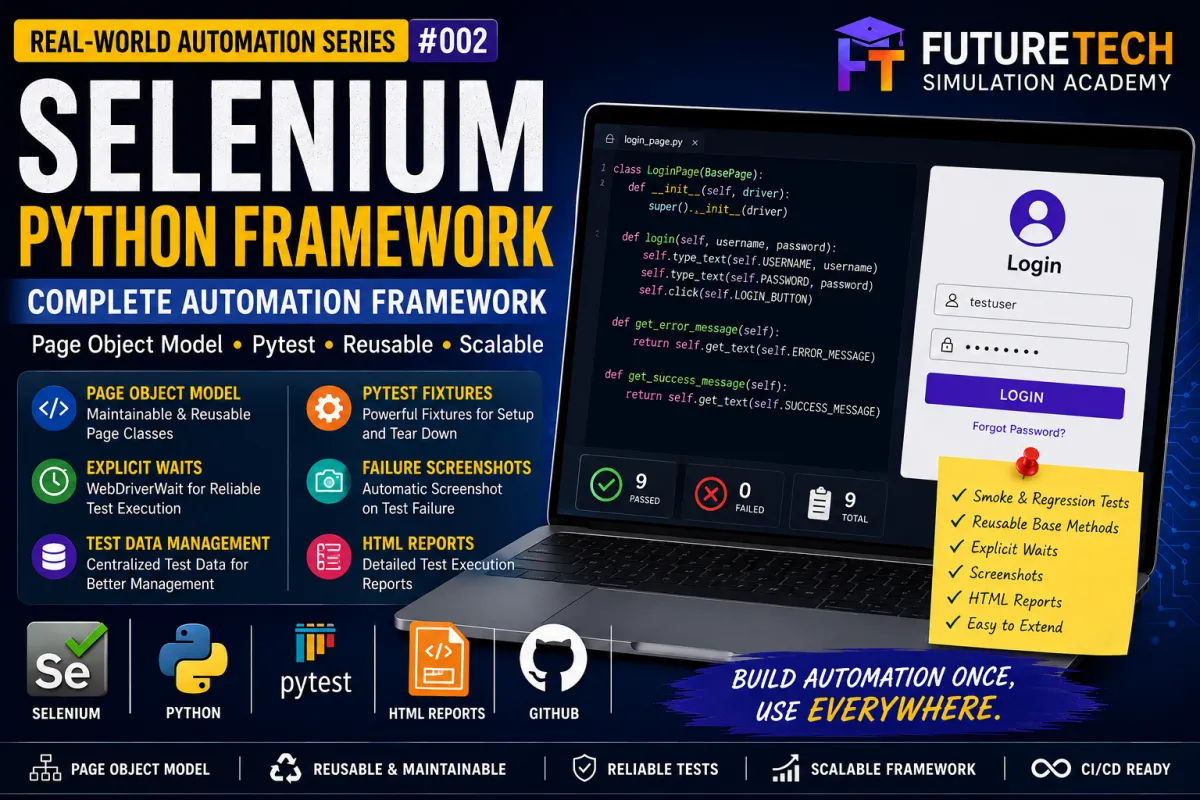
Selenium Python Complete Automation Framework | Real-World QA Automation Project
Selenium Python Complete Automation Framework
If you have learned the basics of Selenium and can already automate a few browser actions, the next important step is to learn how to build a proper automation framework.
Writing one Selenium script is relatively easy.
Building a framework that can support dozens or hundreds of test cases requires a different approach.
A professional automation framework should provide:
• Reusable code
• Maintainable page objects
• Centralized locators
• Explicit waits
• Test fixtures
• Test data separation
• Failure handling
• Screenshots
• Test categorization
• Reporting
• Clear project structure
• Easy execution
• Easy expansion
• CI/CD readiness
In this project, we will build a complete Selenium automation framework using Python and pytest.
The framework starts with a Login application, but the architecture can be extended to e-commerce, banking, insurance, booking, CRM, ERP and other web applications.
GitHub Project Repository
The complete source code for this project is available on GitHub:
https://github.com/santhulak/futuretech-selenium-python-complete-framework
Download the Complete Project
The project is available as a complete GitHub-ready ZIP package containing the framework, demo application, tests, configuration, test data, utilities and README.
You can download the project, extract it, install the dependencies and execute the automation tests on your computer.
What Will You Build?
In this project, we will build a reusable Selenium automation framework for testing a Login application.
The framework will automate:
Valid Login
Invalid Username
Invalid Password
Invalid Username and Password
Empty Username
Empty Password
Empty Username and Password
Password Field Masking
Forgot Password Navigation
The demo application is included in the project itself.
This is important for students because you do not need to depend on a live third-party website just to execute the project.
You can download the repository and run the tests locally.
Technology Stack
Python
Selenium WebDriver
pytest
pytest-html
Chrome Browser
Page Object Model
Explicit Waits
pytest Fixtures
GitHub
Why Build a Framework Instead of a Selenium Script?
Consider a simple Selenium script.
It might contain:
Open browser
Open website
Find username
Enter username
Find password
Enter password
Click Login
Validate result
Close browser
This approach works for a small demonstration.
But imagine that you have:
50 test cases
100 test cases
500 test cases
Now you have a major maintenance problem.
If every test contains its own Selenium commands, locators, waits and browser setup, the code becomes difficult to maintain.
A framework solves this problem by separating responsibilities.
The test should explain:
What are we testing?
The Page Object should explain:
How do we interact with the page?
The Base Page should provide:
Reusable browser operations.
The test-data layer should provide:
What data should be tested?
The utilities should provide:
Supporting functionality such as screenshots and logging.
Framework Architecture
The framework follows this flow:
Test Case
↓
pytest
↓
Fixture
↓
Page Object
↓
Base Page
↓
Selenium WebDriver
↓
Browser
↓
Application
↓
Assertion
↓
Report / Screenshot
This architecture gives us a foundation that can be expanded as the automation project becomes larger.
Project Structure
The project follows a clean structure:
futuretech-selenium-python-complete-framework
config
config.py
demo_app
login.html
password-recovery.html
pages
base_page.py
login_page.py
tests
conftest.py
test_login.py
test_data
login_data.py
utils
logger.py
screenshot.py
screenshots
reports
requirements.txt
pytest.ini
.gitignore
README.md
Each directory has a specific responsibility.
Understanding the Configuration Layer
The config directory contains configuration information used by the framework.
The configuration can contain values such as:
Application URL
Browser settings
Default timeout
Environment configuration
For a small project, this may appear unnecessary.
However, in a real company project, you may have different environments:
Development
QA
Staging
Production
Each environment may have a different URL.
Centralized configuration makes this easier to manage.
The Demo Application
The project contains a small Login application under:
demo_app/login.html
The application contains:
Username field
Password field
Login button
Forgot Password link
Success message
Error message
The valid credentials are:
Username: testuser
Password: Password@123
When valid credentials are entered, the application displays:
Login successful
For invalid credentials, it displays:
Invalid username or password
There is also a Password Recovery page.
This gives us enough functionality to demonstrate a real automation framework.
Why Include a Local Demo Application?
Students often face a problem when learning Selenium.
A tutorial may provide automation code, but the website used in the tutorial may later change.
A third-party website may also:
• Change its UI
• Change element IDs
• Add CAPTCHA
• Become unavailable
• Block automated traffic
• Change its workflows
By including our own demo application, the project becomes reproducible.
You can download the GitHub repository and run the tests without depending on an external website.
Page Object Model
Page Object Model, commonly called POM, is one of the most important design patterns used in Selenium automation.
The basic idea is simple.
Instead of writing Selenium locators directly inside every test, we create a class representing the page.
For example:
LoginPage
The Login Page contains:
Username locator
Password locator
Login button locator
Error message locator
Success message locator
Forgot Password locator
It also contains methods such as:
enter_username()
enter_password()
click_login()
login()
get_error_message()
get_success_message()
This keeps the test code clean.
Why Use Page Object Model?
Without Page Object Model, a test may contain many low-level Selenium commands.
With Page Object Model, the test can say:
page.login(username, password)
This makes the test much easier to read.
Benefits include:
• Reduced code duplication
• Better maintainability
• Better readability
• Centralized locators
• Reusable page methods
• Easier UI maintenance
Suppose the username locator changes.
Without POM, you might need to modify dozens of tests.
With POM, the locator can be updated in the Login Page object.
Base Page Design
The next important component is the Base Page.
The Base Page contains common Selenium operations.
For example:
click()
type_text()
get_text()
get_attribute()
find_visible()
find_clickable()
The Login Page inherits these methods from Base Page.
Conceptually:
BasePage
↓
LoginPage
↓
HomePage
↓
ProductPage
↓
CartPage
↓
CheckoutPage
This architecture prevents the same Selenium utility methods from being rewritten for every page.
Reusable Click Method
Instead of repeatedly writing Selenium click operations, the Base Page provides:
click(locator)
Internally, the framework waits until the element is clickable and then performs the click.
This provides a consistent approach throughout the framework.
Reusable Text Entry Method
The Base Page also provides:
type_text(locator, text)
This method:
Finds the element
Waits for visibility
Clears existing content
Enters the required text
Now every page object can reuse the same behavior.
Explicit Waits
Web applications are dynamic.
An element might not immediately be ready for interaction.
One common beginner approach is:
time.sleep(5)
The problem is that this simply waits for a fixed amount of time.
If the element becomes ready after one second, the test unnecessarily waits.
If the element becomes ready after six seconds, the test may still fail.
Explicit waits are more appropriate because they wait for a specific condition.
The framework uses:
WebDriverWait
and Selenium expected conditions.
Examples include:
Wait until an element is visible.
Wait until a button is clickable.
This creates more reliable synchronization.
Why Avoid Excessive sleep()?
Using large numbers of sleep() statements can make automation:
Slow
Flaky
Difficult to maintain
Less deterministic
Explicit waits allow the framework to synchronize with the application's state instead of blindly waiting for a fixed duration.
pytest Fixture
The framework uses a pytest fixture to manage the browser.
The fixture performs the setup and cleanup automatically.
The basic flow is:
Create Chrome browser
↓
Open application
↓
Run test
↓
Capture screenshot if test fails
↓
Close browser
This means the individual tests do not need to repeat browser initialization code.
Why Fixtures Are Important
Imagine having 100 test cases.
You do not want to write:
Create browser
Open URL
Configure browser
Close browser
inside every test.
A fixture centralizes this process.
This improves:
Reusability
Consistency
Maintainability
Login Test Data
Test data is kept separately from the test implementation.
The framework includes:
Valid username
Valid password
Invalid username
Invalid password
Expected success message
Expected error message
This creates a clean separation between:
Test logic
and
Test data
Why Separate Test Data?
As the project grows, you may need hundreds of test combinations.
Instead of modifying test code every time, you can move data into external files such as:
JSON
CSV
Excel
Database
API response
Environment variables
This is the foundation for data-driven testing.
Login Page Object
The Login Page object contains the locators required to interact with the Login application.
The framework identifies:
Username
Password
Login button
Error message
Success message
Forgot Password
The test does not need to know the HTML implementation of these elements.
The Page Object handles that complexity.
Login Automation Flow
The valid login test follows this flow:
Open Login Page
↓
Enter username
↓
Enter password
↓
Click Login
↓
Read success message
↓
Assert expected result
Valid Login Test
The test uses:
Username:
testuser
Password:
Password@123
Expected result:
Login successful
The purpose of this test is to verify the primary successful authentication workflow.
Invalid Username Test
The framework enters an incorrect username with a valid password.
Expected result:
Invalid username or password
This is a negative test scenario.
Invalid Password Test
The framework enters the correct username but an incorrect password.
Expected result:
Invalid username or password
This validates another negative authentication scenario.
Both Credentials Invalid
The framework enters an invalid username and invalid password.
Expected result:
Invalid username or password
Testing multiple combinations is important because authentication systems must handle invalid input consistently.
Empty Username Test
The username is left empty while the password is entered.
The framework then attempts to log in and validates the application's response.
Empty Password Test
The username is entered while the password is left empty.
Again, the framework validates the resulting application behavior.
Both Fields Empty
The Login button is clicked without entering credentials.
This is an important negative test scenario.
It validates how the application responds when the user submits an empty login form.
Password Masking Test
The framework also validates that the password field is configured as:
type="password"
This verifies that password characters are not displayed as normal text.
Although this is a simple UI validation, it demonstrates how Selenium can validate HTML attributes as well as visible text.
Forgot Password Test
The Login Page contains a Forgot Password link.
The test clicks the link and verifies that the Password Recovery page opens.
This demonstrates page navigation automation.
Smoke Testing
The framework uses pytest markers to categorize tests.
Critical tests are marked as smoke tests.
For example:
Valid Login
Password Masking
Smoke testing is useful when you need a fast indication that the most important functionality is working.
Run:
pytest -m smoke -v
Regression Testing
Regression tests cover broader application behavior.
The framework marks the negative login scenarios and Forgot Password workflow as regression tests.
Run:
pytest -m regression -v
In a real project, the regression suite may eventually contain hundreds or thousands of test cases.
Running the Complete Project
After downloading the GitHub repository, open a terminal inside the project directory.
Create a virtual environment:
python -m venv .venv
Windows:
.venv\Scripts\activate
macOS/Linux:
source .venv/bin/activate
Install dependencies:
pip install -r requirements.txt
Then execute:
pytest -v
Running Smoke Tests
To execute only the critical smoke tests:
pytest -m smoke -v
This is useful for quick validation after a new build or deployment.
Running Regression Tests
To execute the regression suite:
pytest -m regression -v
HTML Test Reporting
The project includes pytest-html.
Generate an HTML report using:
pytest --html=reports/report.html --self-contained-html -v
The report provides an easy way to review:
Test results
Pass/fail status
Execution information
Test duration
This becomes particularly useful when the number of test cases increases.
Failure Screenshot Handling
When an automation test fails, understanding what happened at the moment of failure is important.
The framework captures a browser screenshot when a test fails.
Screenshots are stored under:
screenshots/
The screenshot filename includes the test name and timestamp.
For example:
test_invalid_username_20260902_120000.png
This gives the automation engineer a visual representation of the application state at the time of failure.
Logging Utility
The project also includes a logging utility.
Logging can become very important when debugging large automation suites.
Instead of relying only on:
print()
professional automation projects generally use structured logging.
Future versions of this framework can add logging to:
Page actions
API calls
Database operations
Test setup
Test teardown
Failures
Environment information
Why This Framework Is Scalable
The current project contains one primary page.
But the architecture allows additional pages to be added without redesigning the entire framework.
For example, an e-commerce application could eventually have:
LoginPage
HomePage
SearchPage
ProductPage
CartPage
CheckoutPage
PaymentPage
OrderConfirmationPage
Example E-Commerce Workflow
A future test could look conceptually like:
Login
↓
Search Product
↓
Open Product
↓
Add Product to Cart
↓
Open Cart
↓
Checkout
↓
Complete Payment
↓
Validate Order Confirmation
The same Base Page and Page Object architecture can support this workflow.
How to Add a New Page
Suppose you want to automate a Dashboard page.
Create:
pages/dashboard_page.py
Then:
Import BasePage
Create DashboardPage
Add page locators
Add page-specific methods
Create corresponding tests
This keeps the framework organized as it grows.
How to Add Data-Driven Testing
The current project stores test data in Python.
The next step can be moving the data to JSON.
For example:
Username
Password
Expected Result
Test Type
The test framework can then read multiple datasets and execute the same test logic repeatedly.
This is particularly useful for authentication, search, registration and form validation testing.
Future CSV / Excel Integration
For business-oriented testing, test data may be maintained by QA teams in spreadsheets.
The framework can later be extended to read:
CSV files
Excel files
JSON files
Databases
This creates a data-driven automation framework.
Cross-Browser Testing
The current project demonstrates Chrome execution.
A future version can support:
Chrome
Firefox
Edge
Safari
The browser can be selected through configuration rather than modifying every test.
For example:
Chrome
↓
Run test suite
or
Firefox
↓
Run same test suite
The test logic remains unchanged.
Headless Execution
In CI/CD environments, browsers are frequently executed in headless mode.
The framework can be extended to run:
Chrome Headless
Firefox Headless
This is useful when there is no graphical desktop environment.
Parallel Execution
As the number of tests increases, sequential execution can become slow.
A future enhancement can introduce parallel test execution.
For example:
Worker 1 → Test 1–20
Worker 2 → Test 21–40
Worker 3 → Test 41–60
This can significantly reduce total execution time when the tests are designed to run independently.
CI/CD Integration
One of the most important future improvements is integrating the framework with GitHub Actions.
The workflow can automatically:
Checkout repository
Install Python
Install dependencies
Start required services
Execute Selenium tests
Generate report
Store test artifacts
This turns the project from a local automation exercise into a CI/CD-ready automation framework.
Possible Advanced Architecture
As the framework matures, it can evolve into:
config/
Environment configuration
pages/
Page Objects
tests/
Test Cases
test_data/
External Test Data
utils/
Reusable Utilities
reports/
Execution Reports
screenshots/
Failure Evidence
.github/workflows/
CI/CD
This structure resembles the architecture used in many real automation projects.
Common Beginner Mistakes
When learning Selenium, avoid these common mistakes.
Mistake 1: Putting everything into one file
A single large test file quickly becomes difficult to maintain.
Mistake 2: Repeating locators
The same locator should not be duplicated across dozens of tests.
Mistake 3: Using sleep() everywhere
Prefer explicit waits.
Mistake 4: Hardcoding test data
Separate data from test logic where practical.
Mistake 5: No failure evidence
Screenshots and logs make debugging much easier.
Mistake 6: No test categorization
Smoke and regression markers make test execution more manageable.
Mistake 7: No version control
A portfolio automation project should be maintained in GitHub.
What Makes This a Portfolio Project?
A portfolio project should demonstrate more than:
"I know Selenium."
It should demonstrate:
"I know how to design and maintain an automation framework."
This project demonstrates:
Python
Selenium WebDriver
pytest
Page Object Model
Reusable framework components
Explicit waits
Fixtures
Test data
Smoke testing
Regression testing
Screenshots
Reporting
GitHub
Skills You Can Demonstrate
After completing this project, you can demonstrate knowledge of:
Python programming
Selenium WebDriver
Web element locators
Browser automation
Explicit waits
Page Object Model
pytest
Fixtures
Assertions
Test data management
Smoke testing
Regression testing
Failure handling
Screenshot capture
HTML reporting
Git/GitHub
Practical Student Assignment
After downloading and running the project, try the following exercises.
Assignment 1
Add a test to verify the Login page title.
Assignment 2
Add a test for invalid login with both fields empty.
Assignment 3
Create a separate PasswordRecoveryPage class.
Assignment 4
Move login data into a JSON file.
Assignment 5
Create data-driven login tests.
Assignment 6
Add Firefox browser support.
Assignment 7
Add headless browser configuration.
Assignment 8
Add logging to the Login Page methods.
Assignment 9
Create a GitHub Actions CI workflow.
Assignment 10
Extend the framework into an e-commerce automation project.
Interview Questions
What is Selenium?
Selenium is a browser automation framework used to automate web applications.
What is Selenium WebDriver?
WebDriver provides the interface through which automation code controls a browser.
What is Page Object Model?
Page Object Model is a design pattern that separates page interaction logic from test logic.
Why use Page Object Model?
It improves maintainability, reusability and readability while reducing duplicated UI interaction code.
What is Base Page?
Base Page is a reusable parent class containing common browser interaction methods used by multiple page objects.
What is an explicit wait?
An explicit wait waits for a specific condition before continuing test execution.
Why use explicit waits instead of sleep()?
Explicit waits synchronize with the application's state, whereas sleep() always waits for a fixed duration.
What is a pytest fixture?
A fixture provides reusable setup and teardown functionality for tests.
What is smoke testing?
Smoke testing is a focused validation of critical functionality.
What is regression testing?
Regression testing verifies that existing functionality continues to work after application changes.
How can Selenium tests be integrated into CI/CD?
Selenium tests can be executed automatically by CI/CD systems such as GitHub Actions after installing dependencies and configuring the required browser environment.
Project Execution Flow
The complete project can now be understood as:
Test Scenario
↓
pytest
↓
Fixture
↓
Page Object
↓
Base Page
↓
Selenium WebDriver
↓
Chrome
↓
Demo Application
↓
Assertion
↓
HTML Report
↓
Screenshot if Failure
From Beginner Selenium to Professional Automation
There is a significant difference between learning Selenium commands and learning automation engineering.
Learning Selenium commands teaches you:
How to open a browser
How to find an element
How to click
How to enter text
How to validate a result
Framework development teaches you:
How to organize automation
How to reuse code
How to manage test data
How to synchronize tests
How to handle failures
How to report results
How to categorize tests
How to scale automation
How to prepare automation for CI/CD
Recommended Learning Path
If you are a student or beginner, follow this sequence:
Step 1
Learn Python fundamentals.
Step 2
Learn Selenium WebDriver.
Step 3
Practice locators.
Step 4
Learn waits.
Step 5
Learn pytest.
Step 6
Learn Page Object Model.
Step 7
Build reusable Base Page methods.
Step 8
Add test data management.
Step 9
Add reporting and screenshots.
Step 10
Build an end-to-end automation framework.
Step 11
Integrate GitHub Actions.
Step 12
Build a larger real-world automation project.
GitHub Repository
The complete source code for this tutorial is available here:
https://github.com/santhulak/futuretech-selenium-python-complete-framework
You can use the repository to:
• Download the framework
• Study the architecture
• Run the test cases
• Modify the Page Objects
• Add new test cases
• Add new applications
• Build your own portfolio project
Complete Project Download
Download the complete Selenium Python framework ZIP
Final Takeaway
Selenium automation is not just about controlling a browser.
The real skill is designing automation that remains maintainable as the number of tests increases.
This project provides a foundation for learning:
Python + Selenium + pytest + Page Object Model + Framework Architecture + Test Data + Failure Handling + Reporting.
Start by downloading the GitHub project.
Run all the existing tests.
Understand how BasePage, LoginPage, conftest.py, test_login.py, login_data.py and the utility modules work together.
Then start extending the framework.
Add new pages.
Add new test cases.
Introduce data-driven testing.
Add cross-browser support.
Integrate CI/CD.
Finally, transform the Login automation project into a complete e-commerce, banking or other real-world automation framework.
GitHub Repository:
https://github.com/santhulak/futuretech-selenium-python-complete-framework
FutureTech Simulation Academy
Don't Just Learn Technology. Simulate the Job.


Facebook
Instagram
X
LinkedIn
Youtube
WhatsApp